Subnautica 2 Guide: How to Claim Twitch Drop Rewards
Secure Your Free Exclusive Seamoth Statue Before the June Deadline
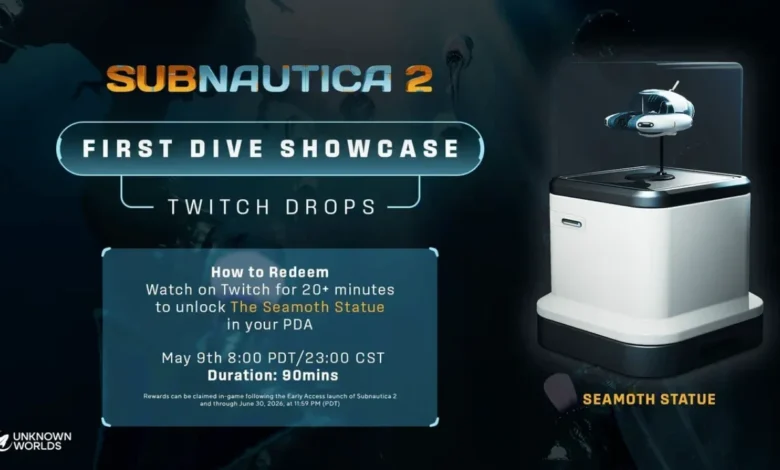
Quick Answer: To unlock the exclusive Seamoth Statue, you need to watch at least 20 minutes of the Subnautica 2 showcase on Twitch and link your game account before June 30, 2026.
Subnautica 2 has officially splashed into Early Access as of May 14, 2026. To celebrate the launch, Unknown Worlds Entertainment is giving away a sleek piece of base decor: the Seamoth Statue. If you’re the kind of player who spends hours perfecting the aesthetic of your underwater habitat, this is a must-have.
The best part? It’s completely free. You just have to navigate a few menus and spend a little time on Twitch before the window slams shut at the end of June.
What is the Seamoth Statue?
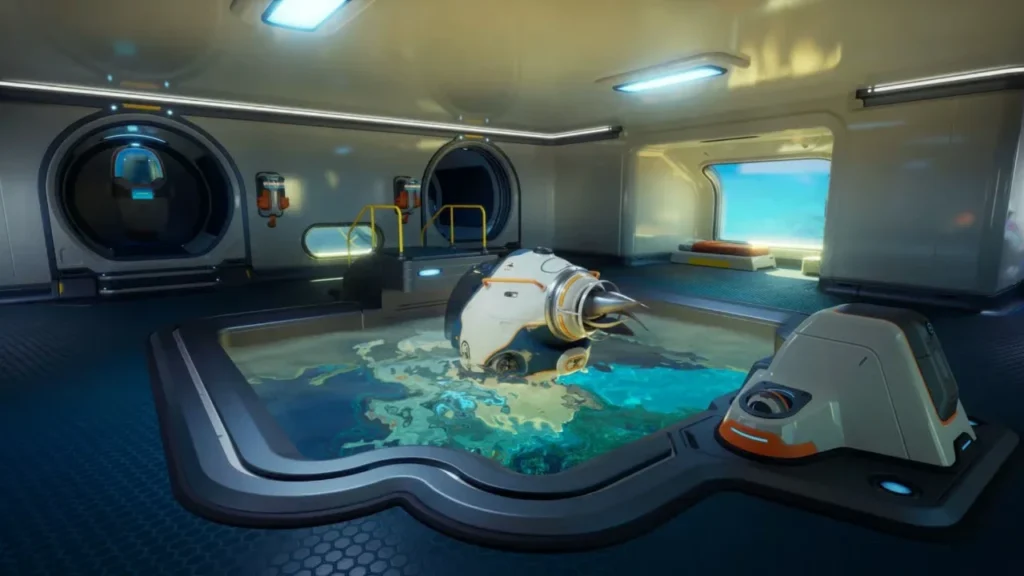
The reward is a high-quality in-game cosmetic item modeled after the iconic submersible from the original game. This isn’t something you can craft with titanium or find in a wreck. It is a limited-time promotional item tied specifically to the pre-launch showcase that aired on May 9.
While the showcase was a massive two-hour event filled with new gameplay trailers and dev demos, you don’t need to have watched the whole thing live to qualify. However, you do need to act before the June 30 deadline.
Step-by-Step Guide to Claiming Your Reward
Getting your hands on the statue involves a two-part process. You have to earn it on Twitch first, then manually “handshake” your Twitch account with your Subnautica 2 save file.
1. Earn the Drop on Twitch
You need to spend at least 20 minutes watching the Subnautica 2 showcase. Make sure you are logged into your Twitch account while doing this. Note that watching on YouTube or Bilibili won’t count toward your progress.
2. Claim Your Prize
Once you’ve hit the 20-minute mark, head over to your Twitch “Drops and Rewards” inventory page. You must click the “Claim” button here. If you just watch the video and forget to hit claim, the reward will never be sent to your game.
3. Link Your Account In-Game
This is the part where most people run into trouble. Earning the drop on Twitch doesn’t automatically put the item in your inventory. You need to verify your identity inside the game. While you’re busy setting up your base to display your new statue, make sure you actually have the juice to keep the lights on by reading our Subnautica 2 Guide: Master Your Base’s Power Grid.
To finish the link:
- Launch Subnautica 2 on your PC or Xbox.
- Go into the Settings menu.
- Select the option to “Link Twitch Account.”
- Follow the on-screen QR code or browser prompt to authorize the connection.
- Once linked, click “Check Twitch Drops” to finalise the delivery.
Key Dates and Requirements
To make sure you don’t miss out, keep these specific requirements in mind.
| Requirement | Details |
| Watch Time | 20 Minutes minimum on Twitch |
| Claim Deadline | June 30, 2026, at 11:59 PM PDT |
| Platforms | PC (Steam/Epic) and Xbox Series X/S |
| Redemption Method | In-game Settings menu |
Can You Still Get It if You Missed the Live Stream?
The live showcase happened on May 9, but the developers have kept the redemption window open through the launch period. If you missed the live event, go to the official Subnautica Twitch channel.
Usually, Twitch Drops require a “Live” status to progress, but Unknown Worlds often enables drops for specific “Re-run” streams or VODs during launch months. Check your Twitch Drops inventory to see if the progress bar is moving while you watch the archived video. Even if you claimed the drop weeks ago, that in-game linking step is mandatory—if you haven’t linked your account by June 30, the statue disappears from your rewards queue forever.