LEGO Batman: Legacy of the Dark Knight Guide: How to Play Co-Op and Multiplayer
Your complete setup guide for local vertical split-screen, drop-in mechanics, and the secret platform workarounds to play online with friends.
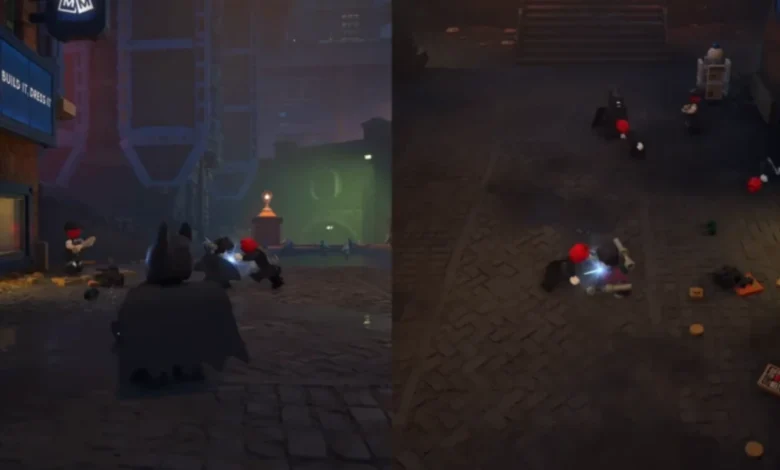
Quick Answer: The game is strictly limited to two-player local couch co-op using a vertical split-screen, meaning native online matchmaking is completely missing. You can, however, bypass this restriction by utilizing platform-sharing tools like Steam Remote Play Together or PlayStation’s Share Play to team up over the internet.
Beating up generic street thugs and flipping puzzle switches gets exhausting when you have to constantly manage two characters by yourself. TT Games designed these mechanics with teamwork in mind, letting you drag a friend into the chaos of Gotham City.
Before you start dragging your friends into back-alley brawls, you might want to know exactly who you can bring to the fight. Knowing how to build your squad is half the battle, so check out our complete character unlock guide to see the full playable roster.
The Current Multiplayer Landscape
If you are currently tearing through the main menus trying to find an online lobby, stop right now. The developers kept the multiplayer formula extremely traditional for this release. Here is exactly what the game supports right out of the box:
| Multiplayer Feature | Current Status |
| Player Limit | 2 Players Max |
| Local Couch Co-Op | Fully Supported |
| Native Online Matchmaking | Not Available |
| Screen Layout | Vertical Split-Screen |
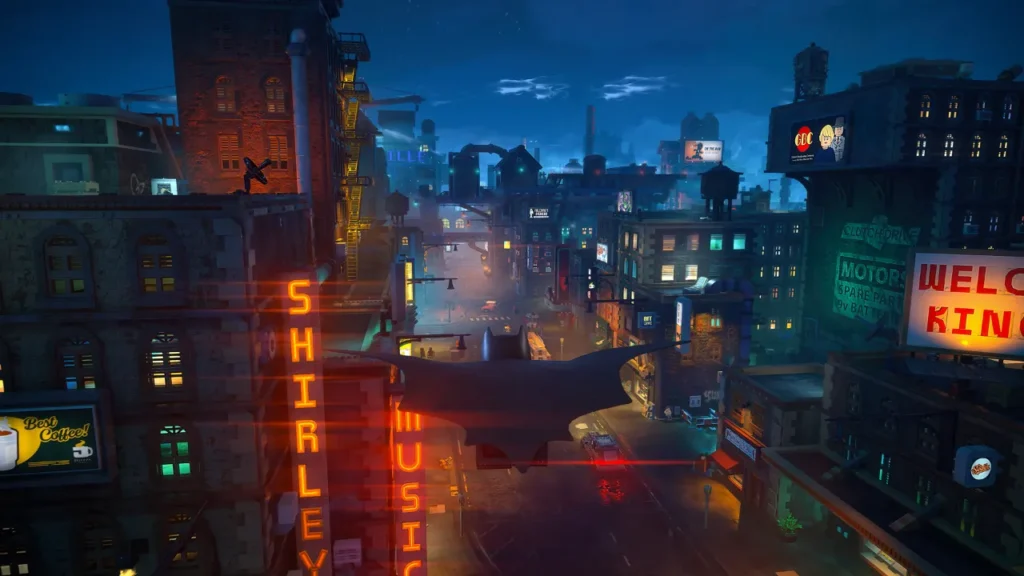
Jumping In and Out of Gotham
You do not need to create a dedicated multiplayer save file just to play with someone else. The game relies on a highly flexible drop-in, drop-out system. A second player can hijack your AI-controlled companion literally at any second without resetting your current mission or interrupting your progress.
Firing Up a Local Session
Getting a friend into your game takes less than a minute. Just follow these simple steps:
- Connect a second controller to your PC or console.
- Load into the game and wait until Player 1 has full control of their character.
- The person holding the second controller simply presses the Start button.
- Alternatively, Player 1 can pause the game and hit the drop-in prompt located in the top right corner of the screen.
The camera instantly slices straight down the middle. Player 1 takes the left side of the screen, while Player 2 gets the right. You are now completely free to explore different districts, solve puzzles independently, or double-team bosses.
Kicking Your Partner Out
If your couch partner gets tired of falling off ledges or you just want your full screen back, ending the session is completely painless.
- Have the second player open their pause menu.
- Press and hold the designated Drop Out button (usually A on an Xbox pad or X on a PlayStation controller).
- If they rage-quit and turn off their controller abruptly, the game throws a warning prompt on your screen. You can then hold your own action button to manually close the session.
Once the second player leaves, the vertical split disappears, and you instantly revert back to a seamless single-player view without losing a single stud.
The Secret to Online Multiplayer
The lack of an official online mode is definitely frustrating. You cannot just open your friends list and shoot over a standard in-game invite.
That being said, you can absolutely trick the system if your co-op partner lives in another city. You just need to rely on the built-in screen-sharing features provided by your specific platform.
- PlayStation Players: Fire up a party chat and activate the Share Play feature. This tool essentially hands a virtual second controller to your friend over the internet.
- PC Players: Open your friends list and utilize the Steam Remote Play Together feature to stream the local co-op session directly to your partner’s monitor.
Both of these workarounds completely fool the game into thinking you have two physical controllers plugged into the exact same machine, allowing you to bypass the local restriction and play together online.


small update: there’s now an open-source compatibility launcher that enables Steam Remote Play Together for non-steam installations of LEGO Batman: Legacy of the Dark Knight. it uses the free BlastZone 2 Demo (AppID 349620) as the donor and includes no game files, cracks, drm bypasses, or steam emulation. source and release: https://github.com/boopsomething/lego-batman-remote-play-together-fix — moddb mirror: https://www.moddb.com/mods/lego-batman-remote-play-together-fix — credits: SOTA Connect