Subnautica 2 Guide: How to Fix the “Requires Fully Functional Fabricator” Error
Move Out of the Lifepod and Unlock Advanced Crafting on Proteus
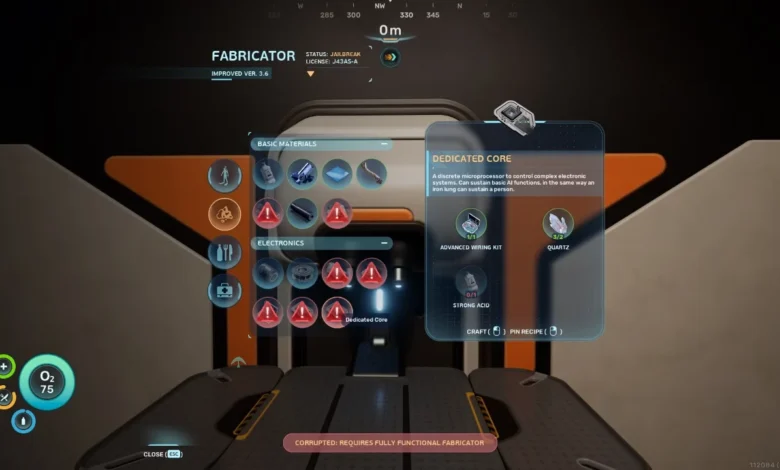
Quick Answer: You cannot repair the broken Fabricator inside your starter Lifepod. To craft advanced items, you must craft a Habitat Builder, construct a basic custom seabase, generate power, and build a brand-new Fabricator inside your own walls.
You have spent the last hour dodging aggressive wildlife, stuffing your pockets full of rare minerals, and swimming back to safety. You open up your Fabricator menu ready to craft that shiny new upgrade, only to be hit with a frustrating red warning: “Requires Fully Functional Fabricator.”
The harsh truth? The Lifepod you crashed in is permanently damaged. The onboard 3D printer will never operate at full capacity, locking you out of the mid-game crafting tree. If you want better gear, you have to move out.
Moving Out: Building a Real Seabase
Escaping the limitations of the Lifepod requires you to establish your very first underwater habitat. You do not need a massive, sprawling fortress right away. A glorified metal hallway will do the trick.
- Craft the Habitat Builder: You need to locate the broken fragments for this tool out in the wild, scan them, and then craft the item using your basic Lifepod Fabricator. If you are struggling to find these fragments, stop wandering aimlessly and follow our Subnautica 2 Guide: The Ultimate Early Game Progression Path.
- Construct a Starter Room: Equip your Habitat Builder and place a basic tube compartment anywhere on the seabed. Snap a hatch onto the side of it so you can actually get inside.
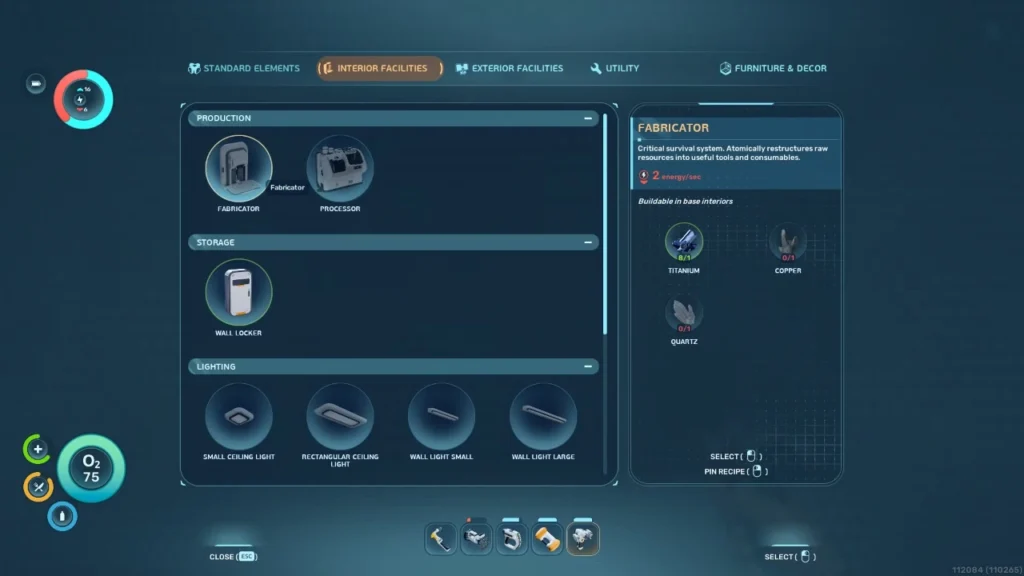
- Place the New Fabricator: Once you are inside your newly built tube, use the Habitat Builder again to mount a fresh Fabricator directly onto the wall.
Powering Your New Equipment
Placing the machine on the wall is only half the battle. Your new base is dead in the water without a power grid. The custom Fabricator draws 2 units of energy per second while actively printing items.
Here is a quick look at your best early-game power options to keep the lights on:
| Power Source | Pros | Cons |
| Solar Panel | Cheap to build, requires zero maintenance. | Output drops significantly if built too deep or during the night. |
| Bioreactor | Works at any depth, runs day and night. | Requires constant babysitting to feed it organic matter. |
For your first base, slap one or two Solar Panels on the roof. As long as you build relatively close to the surface, the sun will provide more than enough juice to run your crafting station. Eventually, as you progress, you will outgrow the Fabricator entirely and need to construct a Processor to handle heavy-duty tasks like smelting ingots.
How to Expand Your Recipe List
Having a fully functional Fabricator is great, but you need actual recipes to use it. Subnautica 2 separates unlocking tech into two distinct methods.
- Blueprints: You get these by actively scanning broken technology scattered around the ocean floor. It is essentially reverse engineering.
- Recipes: These trigger organically. Simply picking up a brand-new raw material in the wild will instantly populate your Fabricator menu with new options.
The crafting system also works like a rabbit hole. Unlocking a high-tier item often requires you to craft its sub-components first. If you want to see everything the Fabricator can do, make a habit of crafting at least one of every new item you unlock. Holding an advanced component in your inventory often triggers the recipe for the final product.
Chasing Gene Donors for Advanced Materials
Some of the best recipes in the game require materials you simply cannot reach with your base stats. You need to follow the main campaign missions to track down Gene Donors. These alien flora nodes grant you genetic traits necessary for survival in extreme biomes.
For example, securing the Heat Tolerance trait allows you to swim through the boiling waters on the eastern side of the map. Without it, you would burn to death instantly. With it, you gain access to massive deposits of Gold and Sulfur, which are strictly required for the game’s most advanced blueprints.