Subnautica 2 Guide: How to Unlock the Habitat Builder and Construct a Base
Leave the Lifepod Behind: Find the Fragments and Build Your First Custom Seabase
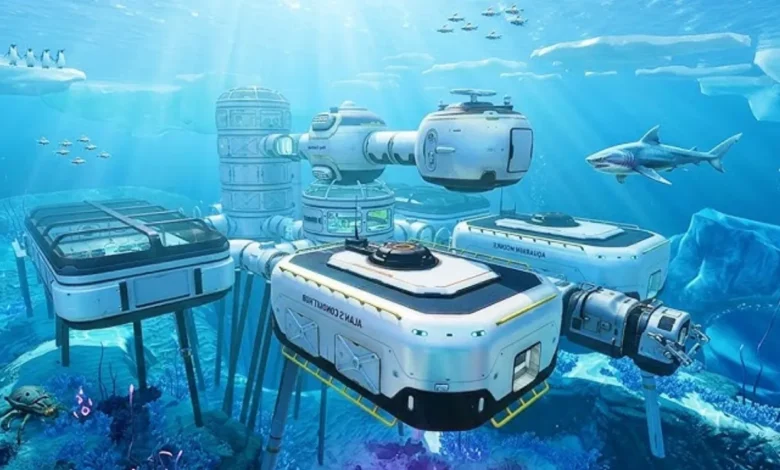
Quick Answer: To start building your own custom seabase, you need to scan two broken Habitat Builder fragments located roughly 160m and 225m Northeast of your Lifepod. Once scanned, head back to your starter Fabricator and craft the tool using Titanium, Glass, a Basic Battery, and Copper Wire.
Your starter Lifepod is a great temporary shelter, but it is effectively a floating closet. It offers zero room for advanced machinery, bulk storage lockers, or interior vehicle bays. If you want to survive the deeper biomes and craft the game’s best upgrades, you have to move out and establish a real underwater base.
Your golden ticket to real estate expansion is the Habitat Builder. This handheld 3D-printer lets you construct massive modular habitats anywhere on the map. But the game does not just hand it to you. You have to go scavenging first.
Before you can even think about laying the foundation for an underwater mansion, make sure you have actually freed your starter pod from the initial wreckage. If you are still sinking, take a quick detour and read our Subnautica 2 Guide: How to Release the Lifepod Clamps.
Where to Find the Habitat Builder Fragments
You need to track down and scan two broken pieces of the Habitat Builder to unlock the full blueprint. Both fragments are located in the same general direction. Grab your scanner and jump in the water.
Fragment 1: The Gene Donor Site
- Climb on top of your Lifepod and pull out your compass.
- Look toward the 20-degree mark, right between North and Northeast.
- Swim in that exact direction for about 160 meters.
- Dive down until you spot a glowing Gene Donor plant (the one that grants the Digestion buff).
- Search the sand at the base of this plant. You will spot a scattering of dropped tools, including your first broken Habitat Builder. Scan it.
Fragment 2: The Octopus Cliff
- From the first fragment, stay on that 20-degree Northeast heading.
- Swim forward until you are roughly 225 meters away from your Lifepod.
- Look straight down. You will see an abandoned base perched on a cliff edge, currently being hugged to death by a massive octopus-like creature.
- Swim down to the cliff edge. Near a broken platform, you will find a lone metal box. The second fragment is sitting right inside. Scan it to complete your blueprint.
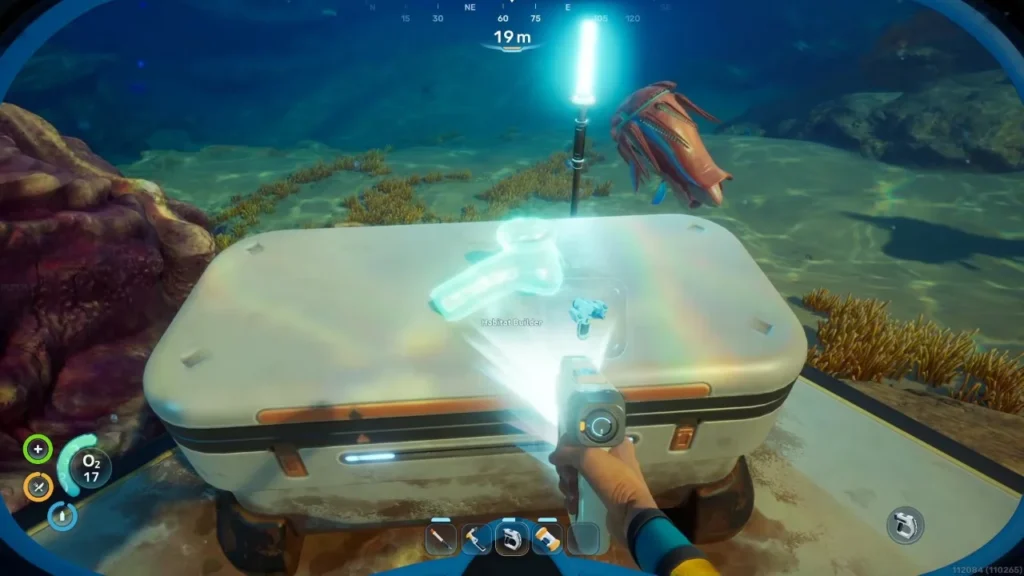
Crafting the Habitat Builder
With the blueprint secured, swim back to the Fabricator inside your Lifepod. The recipe requires a few refined materials, so you will need to do some light gathering first.
Here is the exact shopping list to print your new tool:
| Required Component | Raw Materials Needed |
| 2x Titanium | 2x Raw Titanium Ore |
| 1x Glass | 2x Quartz |
| 1x Basic Battery | 2x Copper Ore, 1x Acidic Raion Pouch |
| 1x Copper Wire | 2x Copper Ore |
Base Building 101: Survival Essentials
Equip your shiny new Habitat Builder, aim it at the ocean floor, and start constructing.
The core of any starter base relies on three fundamental pieces: Tubes, Rooms, and Hatches. You connect tubes to form hallways and attach a hatch to the side so you can physically walk inside. However, building a sealed room does not magically give you breathable air.
- You Need Power: A hatch will only pump oxygen into your base if the facility is generating electricity.
- Solar Energy: The easiest way to get the lights on is by snapping a Solar Panel onto your roof. Keep your starter base relatively close to the ocean’s surface, as Solar Panels rapidly lose their efficiency the deeper you build.
- Hoard Titanium: Almost every single base component requires Titanium. Pick up every piece of salvage you see, because you will burn through it instantly.
Finally, your base will look incredibly bare when you first build it. To unlock furniture, beds, wall decorations, and extra storage lockers, you need to explore the ocean and scan the interior of abandoned bases. If you see a cool chair in a sunken wreck, scan it, and you can build it at home.